Mastering Resilience : Simulating Race Conditions with Cypress cy.intercept
Discover how to master UI resilience by simulating high-latency race conditions in Cypress. Learn to use cy.intercept to engineer stability against non-deterministic behavior and the dreaded "Heisenbug."
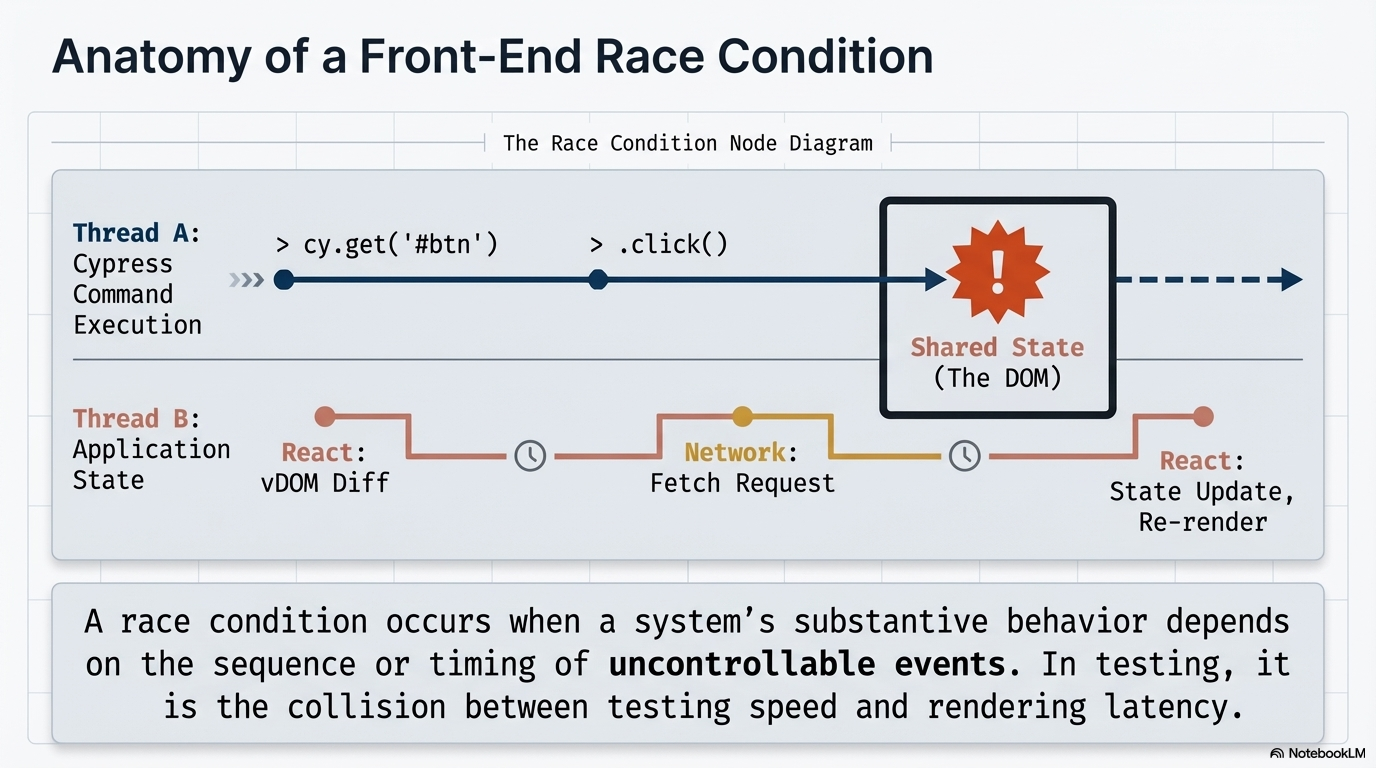
In the world of web development, a race condition occurs when a system's behavior depends on the uncontrollable timing of events, often leading to unexpected bugs or inconsistent results. For front-end developers, this frequently manifests as "Async Wait" flakiness, where a test fails because it tries to interact with a page before the network has responded or the IO has finished repainting.
One of the most effective ways to identify and fix these issues is to simulate a slow network directly within your test suite.
Why Simulate a 5-Second Delay ?
Testing with a slow network is crucial for verifying Intermediate states. If an API responds instantly in your local environment, you might never see your "Loading.." spinner or realize that a user could trigger a second, conflicting action while the first one is still pending.
By introducing a significant delay (e.g. 5 seconds), you turn a random race condition into a consistent, reproducible scenario.
Implementing the Simulation
Cypress provides the powerful cy.intercept() command, which allows you to monitor, modify, or delay HTTP requests. To simulate a slow API response, you can use the delay property within a StaticResponse object.
Example Code:
it('should display a loading indicator and remain stable during slow responses', () => {
  // 1. Intercept the API call and add a 5000ms (5s) delay
  cy.intercept('GET', '/api/user-profile', {
    delay: 5000, // 5 seconds delay
    fixture: 'user.json' // Mock data
  }).as('delayedUserLoad');

  // 2. Trigger the action (e.g., clicking a button)
  cy.get('[data-test="load-profile-btn"]').click();

  // 3. Test the intermediate "Loading" state
  cy.get('.loading-spinner').should('be.visible');
  cy.contains('Loading profile...').should('exist'); [5, 10]

  // 4. Test app reaction to user interaction during the wait
  // Example: Try clicking another navigation link
  cy.get('[data-test="other-link"]').click();

  // Ensure the app doesn't crash or show a "broken" UI
  cy.url().should('include', '/other-page');

  // 5. Finally, wait for the original request to finish
  cy.wait('@delayedUserLoad');
});
Key Insights for Testing Application Reaction
- Verify UI Stability : A slow response allows you to confirm that the app prevents "double submissions" or handles navigation gracefully while data is still fetching.
- Test Fallback Mechanisms : If a request takes too long, does your app eventually show a timeout message? Using a delay helps you verify this logic.
- Avoid Flaky Tests : Relying on explicit time-based waits (like cy.wait(5000)) is a major cause of flakiness. Instead, synchronize your tests by waiting for DOM elements to appear or disappear (e.g. spinner disappearing)
- React-Specific Timing : Applications built with frameworks like React can sometimes be "too fast" or "too slow" during repaints. Simulating network delays ensures that the UI is "physically ready" before that next test command executes.
Conclusion
Simulating race conditions isn't just about finding bugs; it's about ensuring a seamless user experience regardless of network speed. By using cy.intercept to intentionally slow down your application, you can build a more resilient front-end that handles the unpredictability of the real world with confidence.