Enhancing Security in Cypress : Migrating from Cypress.env() to cy.env() and Cypress.expose()
With the upcoming release of Cypress v16, the global Cypress.env() command is being deprecated for security reasons. This guide explores how to audit your variables and transition to the new asynchronous cy.env() and synchronous Cypress.expose() APIs to keep your test suites secure and future-proof.
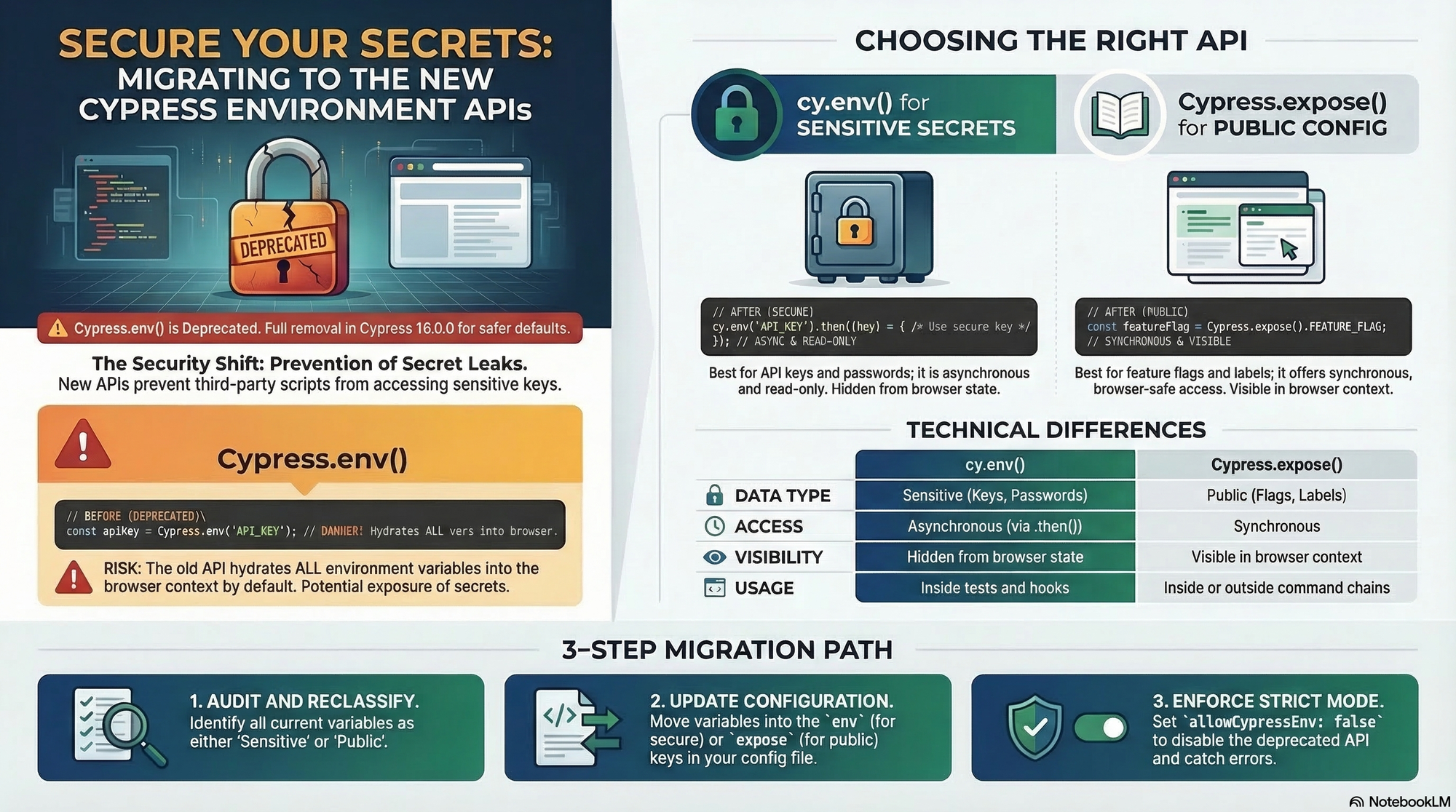
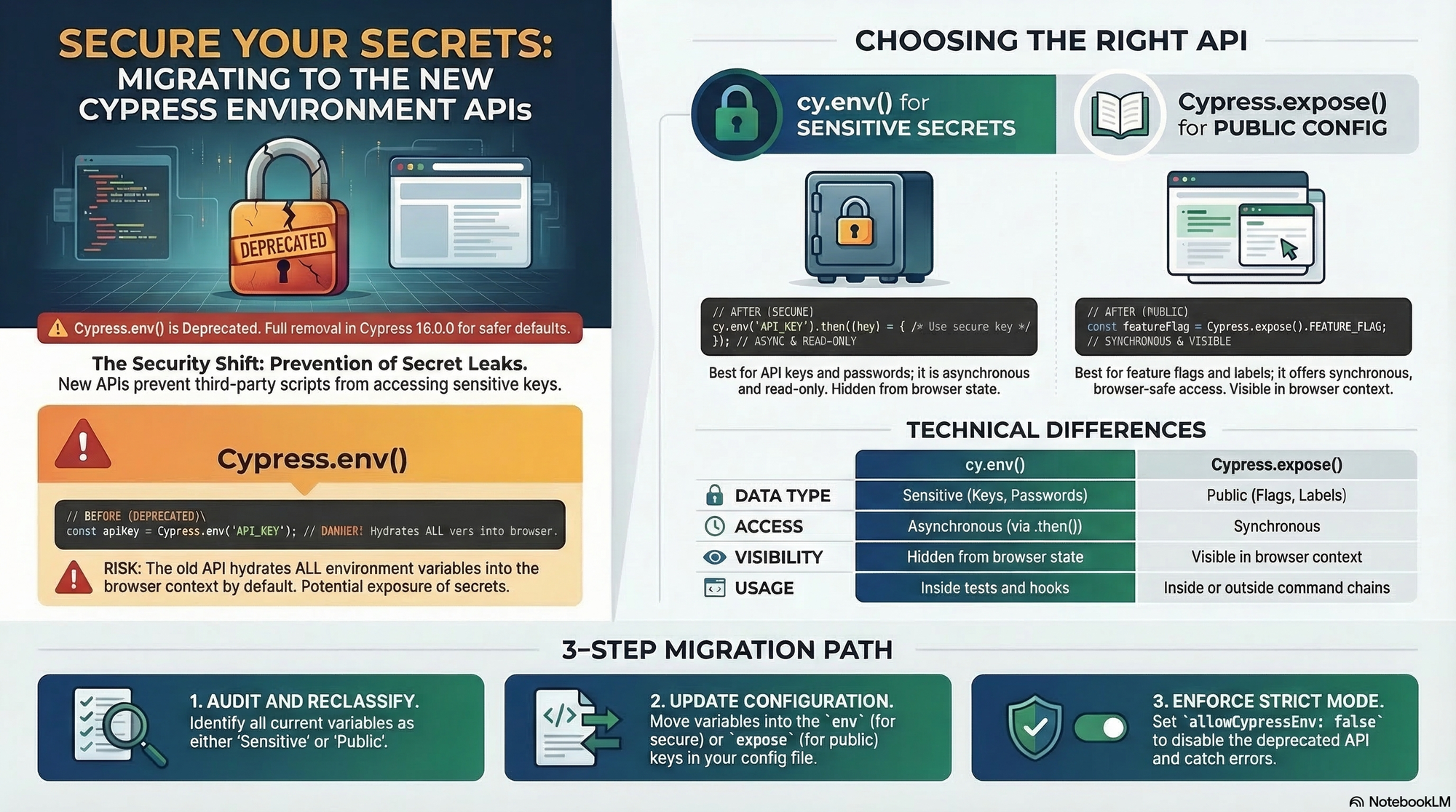
In the work of automated testing, managing sensitive data and environment-specific configurations has always been a delicate balancing act. Recently, Cypress announced the deprecation of the global Cypress.env() API starting with version 15.10.0, with plans for its complete removal in version 16.0.0
This shift isn't just a simple name change; it's a fundamental move toward safer defaults and more explicit security controls within the Cypress ecosystem.
Why the Change ? The Security Risk
The primary reason fir this deprecation is how Cypress.env() historically handled data. It would "hydrate" all configured environment variables directly into the browser context. This meant that every single variable - whether it was a public feature flag or a sensitive API key – was serialized and made accessible to the application code, third - party scripts, and browser extensions.
By moving away from this "all-or-nothing" exposure model. Cypress is helping teams prevent accidental leaks of secrets, especially during cross-origin testing with cy.origin()
Meet The New Standard : cy.env() and Cypress.expose()
To replace the deprecated API, Cypress has introduced a dual-path approach based on the sensitivity of the data.
- cy.env() for Secrets and Sensitive Values For your most sensitive data - like API keys, passwords, and authentication tokens - you should now use the cy.env() command
- Secure : It only retrieves the specific variables you explicitly request.
- Asynchronous : It is designed to work with Cypress command chains and return a promise
- Read-Only : Unlike the old API, cy.env() cannot be used to set or modify variables at runtime.
- Cypress.expose() for Public Configuration For non-sensitive values that your tests or even your application might need to acces synchronously, Cypress provides Cypress.expose()
- Synchronous Access : Ideal for values like feature flags, API versions, or environment labels (e.g. 'staging' or 'prod')
- Intentional Exposure : By using this API, you are explicitly staging that these values are safe to be seen in the browser context.
Migration Checklist
To get your project ready for the future, follow these essential steps :
- Audit Your Code : Search for all instances of Cypress.env()
- Redirect Sensitive Data : Replace calls for secrets with cy.env(['key1','key2']).then(({key1})) =>{...})
- Update Config Files : Move public configurations in your cypress.config.js from the env key to the new expose key
- Leverage CLI Flags : Use --expose (or -x) for public values and keep --env for secrets
- Lock It Down : Once migrated, set allowCpyressEnv : false in your configuration. This acts as a safety new, causing any leftover Cypress.env() calls to throw an error and ensuring no new ones are introduced.
Conclusion :
While this migration requires and update to your testing patterns, the securty benefits are substantial. By being explicit about what data enters the browser, you protect your application and your infrastructure from unnecessary exposure. Start migrating today to ensure your suites are ready for Cypress V16